

»WebDrive« is a software available for the operating systems Windows and Mac OS X that integrates remote servers as an additional drive (Windows) or volume (Mac).
Download & Installation
»WebDrive« is licensed for use on official computers of the Bauhaus-Universität Weimar. Use on private computers is permitted as long as the person is affiliated with the Bauhaus-Universität Weimar. The software must be applied for informally by email to software[at]scc.uni-weimar.de.
The installation is carried out according to the instructions for the installation of »Webdrive« under Windows.
Connection setup
Set up session
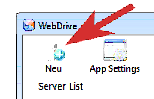
- open »WebDrive«
- Add a new server connection with the New button
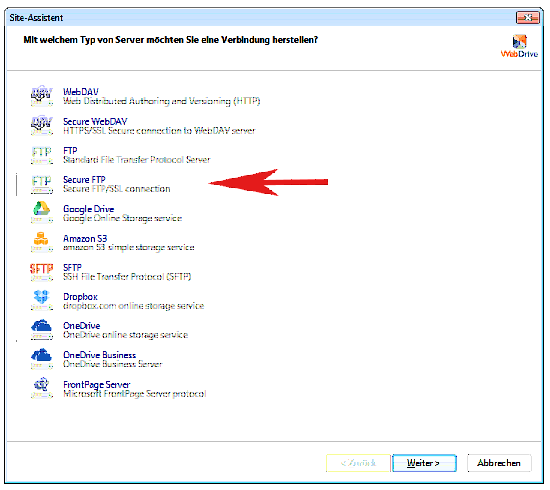
- Select Secure FTP (Secure FTP/SSL connection as the server type.
- continue with Next »
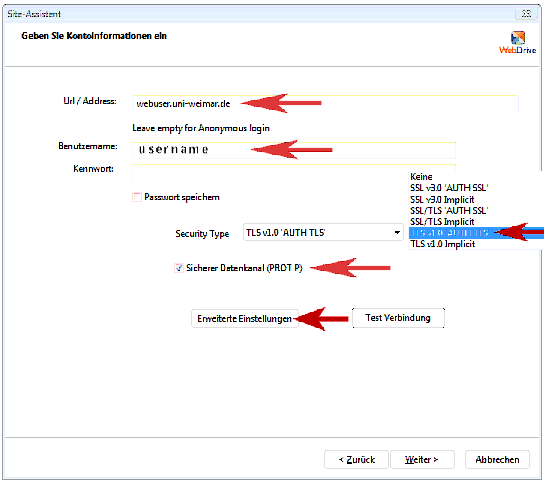
- Enter account information, but do not enter or save your password here for security reasons.
| URL/Address: | webuser.uni-weimar.de |
|---|---|
| Save password | no |
| Username/Password: | Your personal user ID |
| Security Type: | TLS v1.0 'AUTH TLS' |
| Secure data channel | yes |
- then go to further settings with the Advanced settings button
Advanced Settings
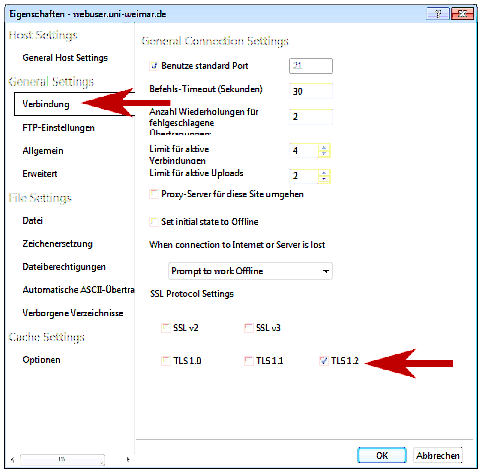
At Properties
- on the Connection tab
- as SSL-Protocol Settings
allow only TLS 1.2 [x]
deselect all other with [□]
FTP Settings
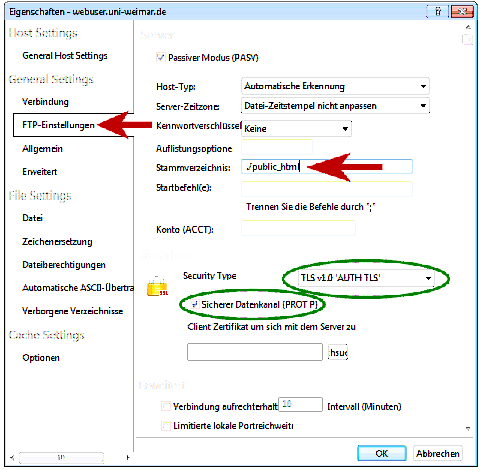
FTP Settings
- Enter the following as the root dictionary in the FTP-Settings tab:
./public_html - Security Type and the option Secure Data Channel should be set correctly from the previous step.
- Confirm with OK
Site settings
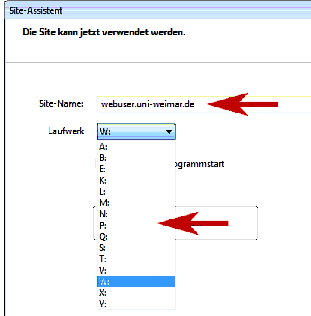
- Specify a unique site name in the new dialogue.
- Specify a drive that is not yet in use so that the directory can be displayed transparently in the Windows Explorer environment.
- Exit the dialogue with Finish .
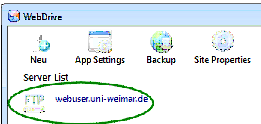
- The connection set up is now available in the Server List and can be reused the next time it is used.