
Logo: Bauhaus-Universität Weimar
≡
  • Zum Hauptmenü
  • Zum Seitenmenü
  • Zum Brotkrumenmenü
  • zum Unterseitenmenü
  • Zum Hauptinhalt
  • Kontakte und mehr
  • Webmail
    • für Studierende
    • für Beschäftigte (OWA)
  • Moodle
  • Vorlesungsverzeichnis
  • Pinnwände
  • DE
  • EN
Schnellzugriff
  • Webmail
    • für Studierende
    • für Beschäftigte (OWA)
  • Moodle
  • Vorlesungsverzeichnis
  • Pinnwände
  • Studienberatung
  • BAUHAUS.JOURNAL ONLINE
  • Veranstaltungskalender
  • Universitätsbibliothek
  • Sprachenzentrum
  • Sportzentrum
  • International Office
  • Mensa-Speiseplan
  • Notfall
  • Personensuche
  • DE
  • EN
Logo: Bauhaus-Universität Weimar Bauhaus-Universität Weimar
  • Universität
    • Aktuell+
    • Profil+
    • Struktur+
    • Studium+
    • Lehre+
    • International
      • Für Studierende: Nach Weimar+
      • Für Studierende: Ins Ausland
        • Studium im Ausland
          • Infoveranstaltungen Auslandsstudium+
          • Beratung Auslandsstudium
            • Studienfachberatung der Fakultäten
            • Anerkennung Fakultäten
            • Prüfungsämter Fakultäten
            • International Counsellor der Fakultäten
            -
          • Partneruniversitäten+
          • Erfahrungsberichte Auslandsstudium
          • Finanzierung Auslandsstudium+
          • Austauschkategorien
          • Bewerbung Auslandsstudium+
          • Vorbereitung Auslandsstudium+
          • Verlängerung Auslandsstudium+
          • Abschluss und Anerkennung+
          -
        • Praktikum im Ausland+
        -
      • Für Internationale: In Weimar+
      • Für Lehrende+
      • Für administrative Mitarbeitende
      • Für internationale Gastwissenschaftler*innen
      • Für unsere Partneruniversitäten+
      • Internationalisierung der Universität+
      • Bauhaus Summer and Spring School
      • Fotowettbewerb
      • Team und Kontakt+
      • Downloadcenter+
      -
    • Forschung und Kunst+
    • Transfer
    • Partner und Alumni+
    • Bauhaus100
    • Studierendenvertretung+
    • Promovierendenrat
    • Mittelbauvertretung
    • Service+
    -
  • Architektur und Urbanistik
    • Aktuell+
    • Profil+
    • Struktur+
    • Studium+
    • Forschung und Kunst+
    • International+
    • Partner und Alumni
    • Service+
    +
  • Bau und Umwelt
    • Aktuell+
    • Profil+
    • Struktur+
    • Studium+
    • Forschung+
    • International+
    • Partner und Alumni+
    • Service+
    +
  • Kunst und Gestaltung
    • Aktuell+
    • Profil+
    • Studium+
    • Struktur+
    • Forschung und Kunst
    • International+
    • Partner und Alumni+
    • Service+
    +
  • Medien
    • Aktuell+
    • Struktur+
    • Studium+
    • Forschung+
    • International+
    • Partner und Alumni
    • 25 Jahre Fakultät Medien
    • Service+
    +
  • {{facultySearchbase[$index].title}}

leider nichts gefunden

WAS WAR DIE FRAGE?
  1. Universität
  2. International
  3. Für Studierende: Ins Ausland
  4. Studium im Ausland
  5. Beratung Auslandsstudium
  • Studienfachberatung der Fakultäten
  • Anerkennung Fakultäten
  • Prüfungsämter Fakultäten
  • International Counsellor der Fakultäten
Kontakt und Infos
  • Offizieller Account der Bauhaus-Universität Weimar auf Instagram
  • Offizieller Account der Bauhaus-Universität Weimar auf LinkedIn
  • Offizieller Vimeo-Kanal der Bauhaus-Univertität Weimar

Beratung Auslandsstudium
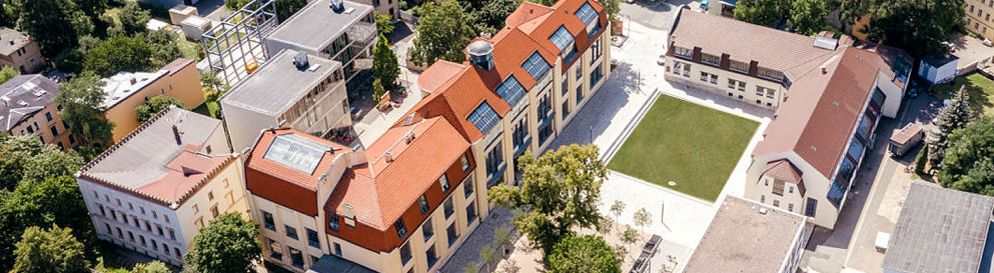
Luftbild des Campus der Bauhaus-Universität Weimar

Beratung Auslandsstudium

Welches Thema interessiert Sie?

STUDENT ID "THOSKA"

THOSKA FUNCTIONALITIES

Student-ID

  • proves your university membership and your status as a student
  • serves as an ›electronic key‹ for computer pools and workspaces (needs to be activated by SCC or faculty staff)

Library Card

  • is necessary to borrow books, magazines, etc. from the university libraries
  • the identification number on the back of the card allows you to order books online
  • contains the status of your library loans

Cash Card

  • to pay for food in the Mensa cafeterias
  • to pay for plots, prints, copies (and to charge your print account at SCC)
  • to pay for library fees, fines and inter-library loan

Free Access

  • to shows at the “German National Theatre”
  • to all sights of “Klassik Stiftung Weimar” (incl. Museums)

Please note: If you destroy or loose your Thoska card you have to pay 10 Euro to get a new card and all the money it was charged with will be lost.

Charge your Thoska card

  • with your debit card at the following terminals: Cafeteria (Ground Floorl), Library (Ground Floor), Computerlabs (SCC) (2 Floor)
  • with cash: only at the terminals in the lobby of the Cafeteria „Mensa am Park“

THOSKA SERVICE OFFICE

Campus.Office Building
Ground Floor (Foyer)
Geschwister-Scholl-Straße 15 (opposite main building)

  • help desk for problems and questions about the Thoska
  • pick up forms to apply for a new Thoska, (e.g. due to loss, damage, name changes, etc.)

Hotline Tel. 0049 3643 / 58 2323 
E-mail: study[at]uni-weimar.de

LOGIN TO THE UNIVERSITY NETWORK

PERSONALISED WORKSPACE

With your login, you are assigned a personal drive (Arbeitsplatz/Home).

  • you will find it as ›drive I‹ together with your username, e.g. ›maxl0803 on in.uni-weimar. Laufwerk I‹
  • provides you with storage space for your personal data
  • is only accessible with your password


UNIVERSITY E-MAIL ADDRESS

Every student at the Bauhaus-Universität Weimar receives a login and a university e-mail address to get access to Wifi and use university computers, universitywebmail account, the library catalogue etc.

To Dos:

  1. access to your email account via the university’s website or via webmail.uni-weimar.de  
  2. login with username and password
    username: is set by SCC and cannot be changed (please remember it!) 
    password: is pre-set and can be changed later by the user
  3. account needs to be unlocked and configured when using it for the first time (see webmail starting page)

Webmail works like every other email account with lots of useful features available until 3 months after your exmatriculation (removal from the student register).


Please note:
Many professors and staff accept university e-mail addresses only. 
They will not answer to private addresses, such as sweetdarling[at]anywhere.com.

TECHNICAL SUPPORT

SCC (Service Center for Computer Systems and Communication)
Steubenstraße 6a (right behind the university library)
1st floor 

Opening Hours: 
Mon – Fri 8 am – 6 pm
Sat – Sun closed

Hotline: Tel. 00493643/ 582424 
E-Mail: nutzerservice[at]uni-weimar.de 

ACCESS TO STUDENT WORKSPACE “BISON”

In BISON portal you can:

  • download your enrolment certificates
  • manage your university schedule 
  • change your contact data: name, address, phone, email etc.
  • check exam results, grades, print records
  • download english enrolment certificate
  • find calendars and events, people, telephone numbers, etc.

> Link to “BISON”

BISON Hotline Tel. 0049 3643 / 582231 
E-mail: bison[at]uni-weimar.de

ACADEMIC CONTACTS AND COURSE GUIDANCE

International Counsellors are your contact persons in the faculties for international students and international student exchange. They are in charge of:

  1. Course guidance and course enrollment
  2. Transcript of Records
  3. Learning Agreement (for ERASMUS students)


Faculty of Architecture and Urbanism   

Ms. Gabriela Oroz
Geschwister-Scholl-Str. 8, Room: B007
Tel.: +49 (0) 3643 / 58 31 15     
e-mail: gabriela.oroz[at]uni-weimar.de 

only for Transcript of Records
e-mail: transcripts[at]archit.uni-weimar.de

Faculty of Civil and Environmental Engineering 

Ms. Dr. Anne Engelhardt
Marienstraße 7A, Room: 205
Tel.: +49 (0) 36 43 / 58 45 68
e-mail: anne.engelhardt[at]uni-weimar.de

Faculty of Art and Design        

Ms. Dr. Sirinya Somching
Geschwister-Scholl-Straße 7, room HP07
Tel.: +49 (0) 3643 / 58 33 24    
artanddesign-incoming[at]uni-weimar.de

Faculty of Media         

Ms. Annette Reese
Bauhausstraße 11, Room: N207 
Tel.: +49 (0) 36 43 / 58 38 88   
annette.reese[at]uni-weimar.de 

ADMINISTRATIVE CONTACTS FOR EXCHANGE STUDENTS

INTERNATIONAL OFFICE

Incoming Exchange Students Team
Campus.Office
1st Floor, Room 111 + 112
Geschwister-Scholl-Straße 15
99423 Weimar

Tel.: 0049 36 43 / 58 2362
incoming[at]uni-weimar.de

In charge for:

  • signing administrative documents (e.g. Confirmation of Arrival)
  • Application, admission and registration/enrolment
  • Welcome and orientation programme for exchange students
  • Guiding exchange students
  • Application for extension of your studies

Drop-in Office Hours:

Tuesday + Thursday 
10 am – 1 pm 
and by prior appointment

TERM AND DATES

FOR WINTER SEMESTER 2026-2027

Semester start: 
Lectured period: 
Exam period:  
Semester end: 
01. October 2026
12. October 2026 – 05. February 2026
mid – end of February
31. March 2027


The timing of “Project Auction” (Projektbörse) and enrolment for courses, modules, etc. vary from faculty to faculty.
Please pay attention to announcements made by the individual faculties and take part at the faculty introduction events for exchange students.

If you miss any of these events, please get in touch with your International Counsellor.

HolidaysReformation Day
Christmas Day
31. October 2026
21. - 31. December 2026

IMPORTANT AND USEFUL LINKS

CHECKLIST FOR EXCHANGE STUDENTS

SLIDES OF EXCHANGE STUDENTS' INFO EVENT

FAQs FOR DORMITORY

INFO ON THE BROADCASTING FEE (Rundfunkgebühr)


RESIDENCE REGISTRATION AND RESIDENCE PERMIT

All exchange students are required to register with the Foreinger´s Registration Office (Ausländerbehörde) in Weimar. 
The International Office will organise priority appointments for you!

Make sure to attend these appointments because it is really hard to get appointments on your own!


We from the International Office will send you a form that you need to fill out and send to the the Foreigner´s Registration Office (Ausländerbehörde). They will get in touch with you regarding your appointment.

Make sure to bring all relevant documents mentioned in the e-mail from the Foreigner´s Registration Office.


MORE INFORMATION 

Website of the International Office of the Bauhaus-Universität Weimar for residence registration in Weimar: 
https://www.uni-weimar.de/en/university/international/to-weimar/fulltime-students/preparing-your-studies/register-in-weimar/ 
General Website of Weimar´s “Foreigners Registration Office” (Ausländerbehörde): 
https://stadt.weimar.de/de/zustaendige-stelle/organisationseinheit/346/auslaenderbehoerde.html 

ACCESS TO “DEUTSCHLAND TICKET”

FOR SEPTEMBER


Since most of you are here for the “German Language Course”, you might like to travel before the official start of the semester in October. The cheapest way to travel around Germany is the “Deutschland Ticket” (Germany Ticket).

It is valid all around Germany for all regional trains and public transportation (bus, tram, metro).

The “Deutschland Ticket” is NOT valid for:

  • Intercity (IC) trains
  • Intercity Express (ICE) trains
  • Flix trains
  • Flix busses

To purchase a “Deutschland Ticket” for September:

  1. open your new university e-mail account
    https://webmail.uni-weimar.de/
  2. check for an e-mail titled „wichtige Informationenzum Semesterticket“
  3. request theorder forthe “Deutschland Ticket”
    https://www.vmt-thueringen.de/tickets-abos/abonnements/deutschlandsemesterticket/
  4. click on the button „Ticketabruf“
  5. Select “Bauhaus-Universität Weimar” from the list of institutions
  6. Authenticate yourself with your university login data
  7. Agree to transfer your data from the university to the local transportation agency “VMT” 
  8. You will now receive an e-mail to your university mailbox with your contract number.
  9. Download the app “Erfurt Mobil”
  10. Open the app “Erfurt Mobil” and select the “Ticket” tab and “Deutschlandsemesterticket” in the ticket overview
  11. Enter the contract number from the e-mail your received by VMT and your date of birth (only available from 01 October)
  12. Your “Deutschland Ticket” appears as a QR code in the app after a few hours. 

Please note:
When travelling with you “Deutschland Ticket”, you must also always carry an official photo document with you, e.g. ID Card, residence permit, passport, driver's license.

FROM OCTOBER 


After the official start of the semester on 1st October, you can get acces to the “Deutschland Ticket” for free. 

To access the “Deutschland Ticket” from October - end of the semester:

  1. open your new university e-mail account
    https://webmail.uni-weimar.de/
  2. check for an e-mail titled „wichtige Informationenzum Semesterticket“
  3. request theorder forthe “Deutschland Ticket”
    https://www.vmt-thueringen.de/tickets-abos/abonnements/deutschlandsemesterticket/
  4. click on the button „Ticketabruf“
  5. Select “Bauhaus-Universität Weimar” from the list of institutions
  6. Authenticate yourself with your university login data
  7. Agree to transfer your data from the university to the local transportation agency “VMT” 
  8. You will now receive an e-mail to your university mailbox with your contract number.
  9. Download the app “Erfurt Mobil”
  10. Open the app “Erfurt Mobil” and select the “Ticket” tab and “Deutschlandsemesterticket” in the ticket overview
  11. Enter the contract number from the e-mail your received by VMT and your date of birth (only available from 01 October)
  12. Your “Deutschland Ticket” appears as a QR code in the app after a few hours. 


Please note:
When travelling with you “Deutschland Ticket”, you must also always carry an official photo document with you, e.g. ID Card, residence permit, passport, driver's license.

HOW TO GET ACCESS TO “DEUTSCHLAND TICKET” FROM OCTOBER ON

After the official start of the semester on 1st October, you can get acces to the “Deutschland Ticket” for free. It is paid through “Semester Contribution”.

To Dos:

  1. open your new university e-mail account
    https://webmail.uni-weimar.de/
  2. check for an e-mail titled „wichtige Informationenzum Semesterticket“
  3. request theorder forthe “Deutschland Ticket”
    https://www.vmt-thueringen.de/tickets-abos/abonnements/deutschlandsemesterticket/
  4. click on the button „Ticketabruf“
  5. Select “Bauhaus-Universität Weimar” from the list of institutions
  6. Authenticate yourself with your university login data
  7. Agree to transfer your data from the university to the local transportation agency “VMT” 
  8. You will now receive an e-mail to your university mailbox with your contract number.
  9. Download the app “Erfurt Mobil”
  10. Open the app “Erfurt Mobil” and select the “Ticket” tab and “Deutschlandsemesterticket” in the ticket overview
  11. Enter the contract number from the e-mail your received by VMT and your date of birth (only available from 01 October)
  12. Your “Deutschland Ticket” appears as a QR code in the app after a few hours. 

Please note:

When travelling with you “Deutschland Ticket”, you must also always carry an official photo document with you, e.g. ID Card, residence permit, passport, driver's license.

TO DOs BEFORE LEAVING

FOR ERASMUS STUDENTS: OBTAIN A SIGNATURE ON YOUR CONFIRMATION OF STAY

Check the ERASMUS documents you received from your home university. Find out which documents need a signature (e.g. confirmation of arrival and departure, learning agreement etc.). Fill the documents with your personal data and get a signature from us.

Please note!

Get the signature for your “Confirmation of Depature" one week before leaving. We don't confirm the departure dat by e-mail.

TRANSCRIPT OF RECORDS

Do not leave Weimar before getting in touch with your International Counsellor. 

You can obtain certificates of study (for lectures, projects, designs, language courses, etc.) from the departments or faculties. Submit the certificates to your International Counsellor or the Examinations Office to apply for your “Transcript of Records”.

!!! IMPORTANT !!!
The Transcript of Eecords will not be issued and sent automatically!
You have to contact your International Counsellor.
Make sure to apply for all documents early enough before leaving.

DE-REGISTRATION

Make sure to de-register your residence in Weimar. 
If you fail to de-register, it might cause serious legal trouble if you enter Germany again.

Verlängerung

>>> Verlängerung Auslandsstudium

zuständig: International Office der Bauhaus-Universität

für die formale, vertragliche und finanzielle Prüfung:
outgoing[at]uni-weimar.de

für die kapazitäre Prüfung:
Ihre Partneruniversität

für die fachliche Prüfung: 
Ihre Bauhaus Fakultät
International Counsellor / Fachstudienberatung


  • Infoveranstaltungen Auslandsstudium
  • Beratung Auslandsstudium
    • Studienfachberatung der Fakultäten
    • Anerkennung Fakultäten
    • Prüfungsämter Fakultäten
    • International Counsellor der Fakultäten
  • Partneruniversitäten
  • Erfahrungsberichte Auslandsstudium
  • Finanzierung Auslandsstudium
  • Austauschkategorien
  • Bewerbung Auslandsstudium
  • Vorbereitung Auslandsstudium
  • Verlängerung Auslandsstudium
  • Abschluss und Anerkennung

>>> Zur "Checkliste für das Auslandsstudium"

>>> Zu den Prüfungsämtern der Fakultäten

>>> Zu den International Counsellors der Fakultäten

>>> Zur Fachstudienberatung der Fakultäten

  • Offizieller Account der Bauhaus-Universität Weimar auf Instagram
  • Offizieller Account der Bauhaus-Universität Weimar auf LinkedIn
  • Offizieller Vimeo-Kanal der Bauhaus-Univertität Weimar
  • Die Bauhaus-Universität Weimar verwendet Matomo zur Web-Analyse.
  • Drucken
  • Per E-Mail versenden
  • Feedback zu dieser Seite
  • Studium

    • Studienangebote
    • Beratungsangebote
    • Kennenlernangebote
    • Studienbewerbung
    • Studienstart
    • Vorlesungsverzeichnis
    • Moodle
  • Informationen

    • Alumni
    • Beschäftigte
    • Forschende
    • Gäste
    • Lehrende
    • Notfall
    • Presse und Medien
    • Promovierende
    • Studierende
    • Unternehmen
  • Service

    • Pinnwände
    • Lagepläne
    • Sitemap
    • Medienservice
    • Datenschutzerklärung
    • Erklärung zur Barrierefreiheit
    • Impressum
  • Kontakt

    • Kontaktformular
  • Kontakt
  • Datenschutz
  • Erklärung zur Barrierefreiheit
  • Impressum
  • Sitemap
  • Uni intern
  • TYPO3
  • Die Bauhaus-Universität Weimar verwendet Matomo zur Web-Analyse.
© 1994-2026 Bauhaus-Universität Weimar
  • Kontakt
  • Datenschutz
  • Erklärung zur Barrierefreiheit
  • Impressum
  • Sitemap
  • Uni intern
  • TYPO3

Barrierefreiheit

Leichte Sprache

Informationen über die Bauhaus-Universität Weimar.

Kontrast-Einstellungen lesen Sie mehr über diese Einstellung

Wechsel zwischen Farb- und Schwarz-Weiß-Ansicht

Kontrastansicht aktiv

Kontrastansicht nicht aktiv

Darkmode für lichtsensitive Augen lesen Sie mehr über diese Einstellung

Wechsel der Hintergrundfarbe von Weiß zu Schwarz

Darkmode aktiv

Darkmode nicht aktiv

Klick- und Fokus-Feedback lesen Sie mehr über diese Einstellung

Fokussierte Elemente werden schwarz hinterlegt und so visuell hervorgehoben.

Feedback aktiv

Feedback nicht aktiv

Animationen auf der Website lesen Sie mehr über diese Einstellung

Beendet Animationen auf der Website

Animationen aktiv

Animationen nicht aktiv