Logo: Bauhaus-University Weimar
≡
  • Jump to main menu
  • Jump to page menu
  • Jump to breadcrumbs and menu
  • Jump to subpage menu
  • Jump to main content
  • Jump to contacts and information
  • Webmail
    • for students
    • for staff (OWA)
  • Moodle
  • Course Catalogue
  • Message Boards
  • DE
  • EN
Shortcuts
  • Webmail
    • for students
    • for staff (OWA)
  • Moodle
  • Course Catalogue
  • Message Boards
  • Academic Advising
  • BAUHAUS.JOURNAL ONLINE
  • Calendar
  • University Library
  • Language Centre
  • Sports Centre
  • International Office
  • Dining Menu
  • Emergency
  • Search people
  • DE
  • EN
Logo: Bauhaus-University Weimar Bauhaus-Universität Weimar
  • University
    • News
      • Bauhaus.Journal online
      • Newsroom and Communications+
      • Social Media
      • Podcasts+
      • Calendar+
      • Message Boards+
      • Open-minded Thuringia+
      • Aid for Ukraine from the Bauhaus-Universität Weimar+
      • A Cleaner Campus: More Respect
      • Saving Energy at the University+
      • Bauhaus.Module
      • Academic Year
      • Current competitions
      • Elections at the Bauhaus-Universität Weimar
      • Job Openings+
      • Fairs
      -
    • Profile+
    • Structure+
    • Studies+
    • Teaching+
    • International+
    • Research and Art+
    • Transfer
    • Partners and Alumni+
    • Bauhaus100
    • Student Representative Committees+
    • Doctoral Council
    • Mittelbauvertretung
    • Services+
    -
  • Architecture and Urbanism
    • News+
    • Profile+
    • Structure+
    • Studies+
    • Research and Art+
    • International+
    • Partners and Alumni
    • Services+
    • Projekte
    +
  • Civil and Environmental Engineering
    • News+
    • Profile+
    • Structure+
    • Studies+
    • Research+
    • International+
    • Partners and Alumni+
    • Services+
    +
  • Art and Design
    • News+
    • Profile+
    • Studies+
    • Structure+
    • Research and Art
    • International+
    • Partners and Alumni+
    • Services+
    • Projekte+
    +
  • Media
    • News+
    • Structure+
    • Studies+
    • Research+
    • International+
    • Partners and Alumni
    • 25-year anniversary
    • Services+
    +
  • {{facultySearchbase[$index].title}}

nothing was found

WHAT WAS THE QUESTION?
  1. University
  2. News
  3. Bauhaus.Journal online
Contact and Information
  • Official Instagram account of the Bauhaus-Universität Weimar
  • Official LinkedIn account of the Bauhaus-Universität Weimar
  • Official Vimeo channel of the Bauhaus-Universität Weimar
Design: Ames Grund, Hannes Altmann, August Guccione | Foto: Romy Weinhold
Published: 03 July 2026

summaery2026 an der Fakultät Kunst und Gestaltung: Prompten ohne Eingabefeld

Was ist ein Prompt, wenn kein Eingabefeld zu sehen ist? Zur »summaery2026« zeigen Studierende der Fakultät Kunst und Gestaltung, wie Porzellan auf Formen reagiert und digitale Räume auf Hände, Körper und Bewegung antworten.

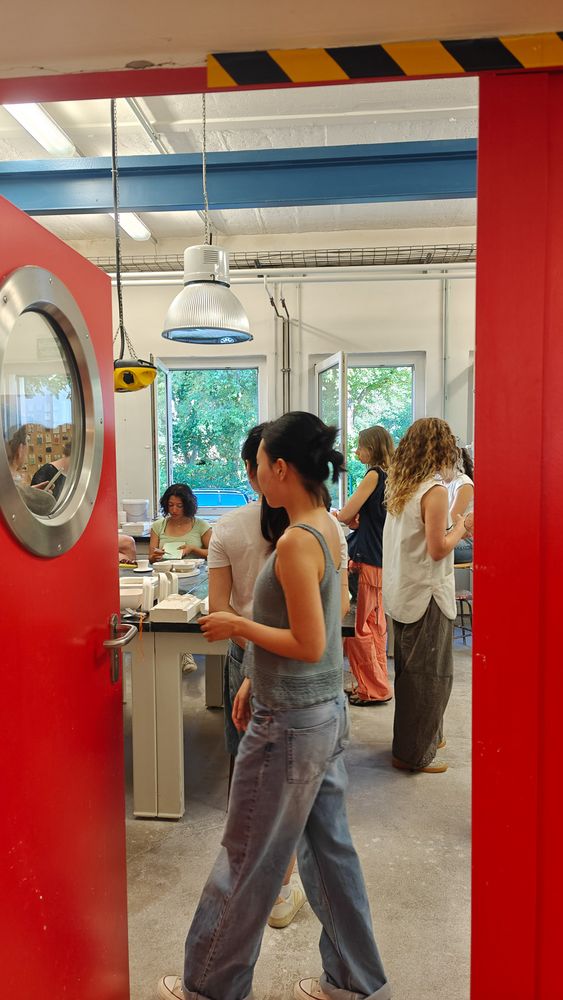
View through an open red door into the plaster and mould-making workshop. Several students work at benches with plaster moulds and models.
Isa Schreiber’s course focuses entirely on porcelain as a material.
View through an open red door into the plaster and mould-making workshop. Several students work at benches with plaster moulds and models.
Isa Schreiber’s course focuses entirely on porcelain as a material.

Wer beim Wort »Prompt« zunächst an ein Eingabefeld denkt, wird im Fachkurs von Porzellandesignerin Isa Schreiber eine völlig neue Dimension des Promptens entdecken. Hier beginnt die Eingabe mit einer Idee, einer Geste, einer Form. Dann antwortet das Material: Gips und Porzellan zeigen, was möglich ist, wo etwas kippt, reißt, schrumpft oder plötzlich genau richtig wird. »Der erste Prompt im Kurs ist sicherlich mein Input, meine Aufgabenstellung und mein Know-how«, erklärt Schreiber. »Sobald die Studierenden handwerklich tätig werden, spielen sie immer im Ping-Pong mit dem Material. Gips und Porzellan sprechen zu dir und zeigen dir recht deutlich, was geht und wo Grenzen liegen. Diese Grenzen sind unser Spielraum, wie in der digitalen Welt auch.« 

Die Studierenden sollen ein materialgerechtes Gestalten erlernen. Sie geben immer wieder Ideen und Informationen durch den Formenbau hinein. Das Porzellan antwortet mit seiner Qualität nach der Formgebung und dem Brand. Ein Wechselspiel, das ohne Fehler nicht funktioniert. 
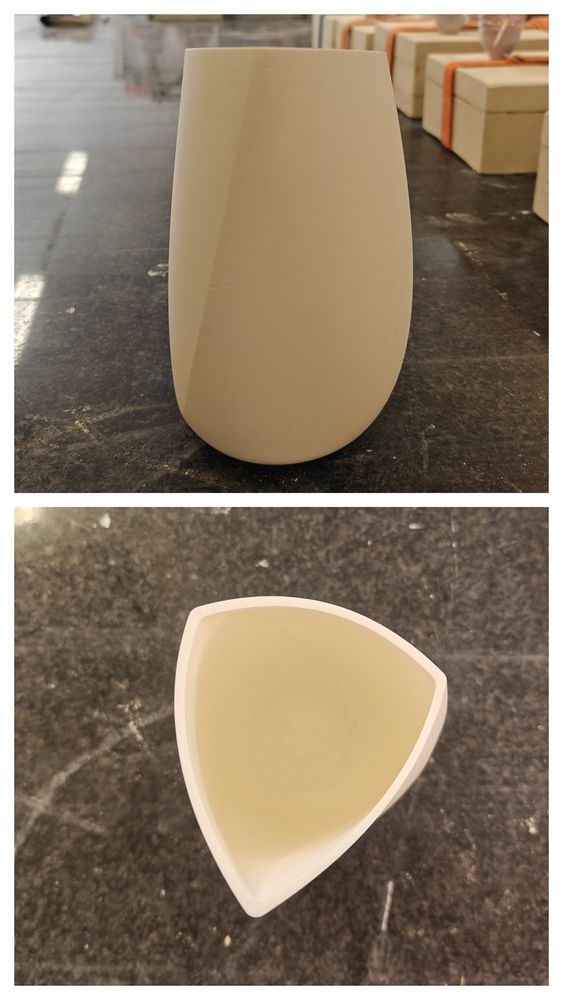
Produktdesign-Studentin Charlotte machte zwar keinen »Fehler«, musste aber ein Problem lösen: Ihr Kannenentwurf besteht aus drei Freiflächen, die sie im 3D-Programm Rhino zu einer räumlichen Form verschmolz. Das Gefäß stellt allerdings hohe Anforderungen an die Gipsform, die zum Gießen nötig ist. »Ich mache mir die Dinge gerne komplizierter, als sie sein müssen«, kommentiert sie ihren Ansatz schmunzelnd. Die Schwierigkeit: Die Kanne lässt sich nicht aus einer einteiligen Form lösen. 

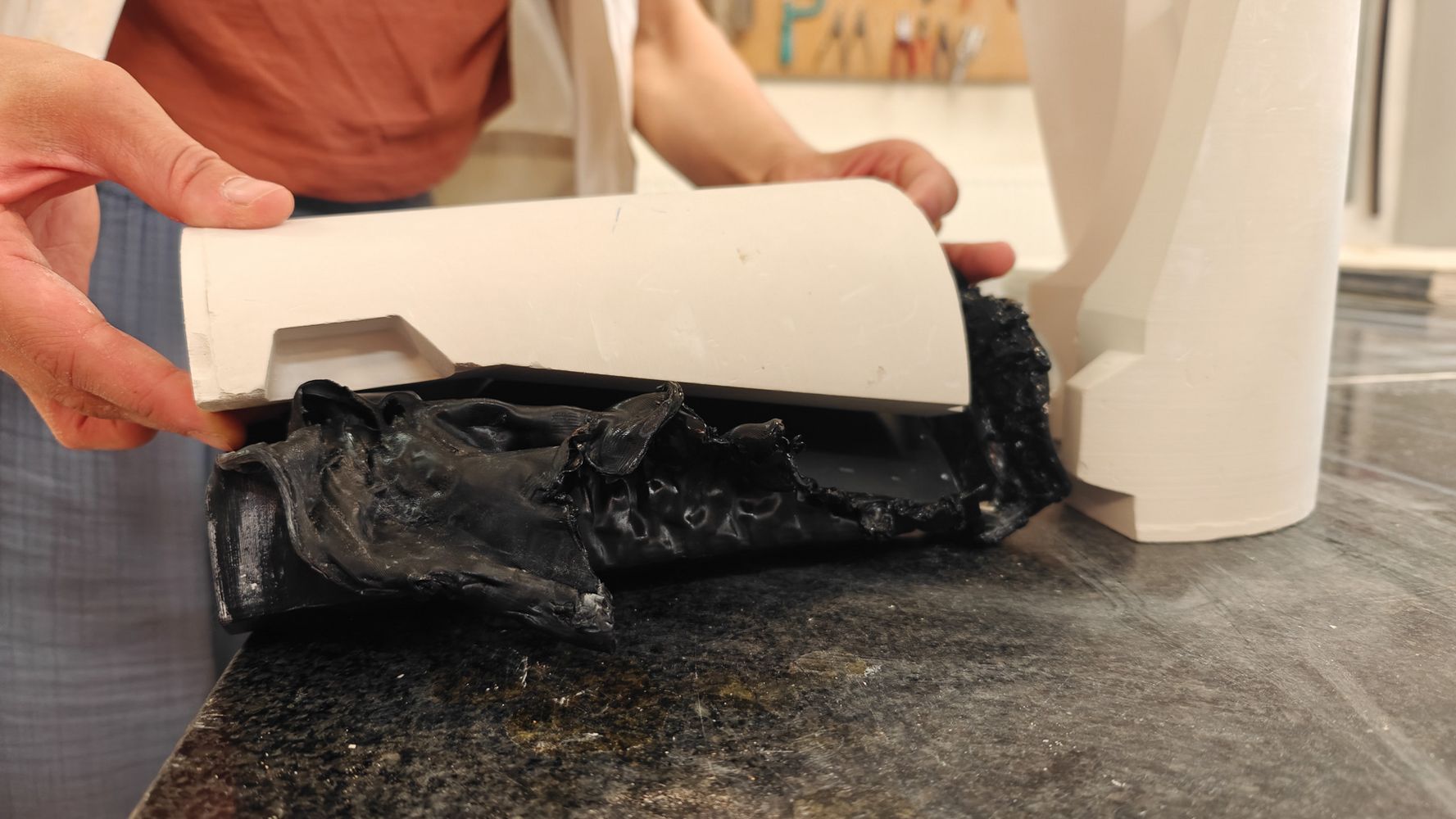
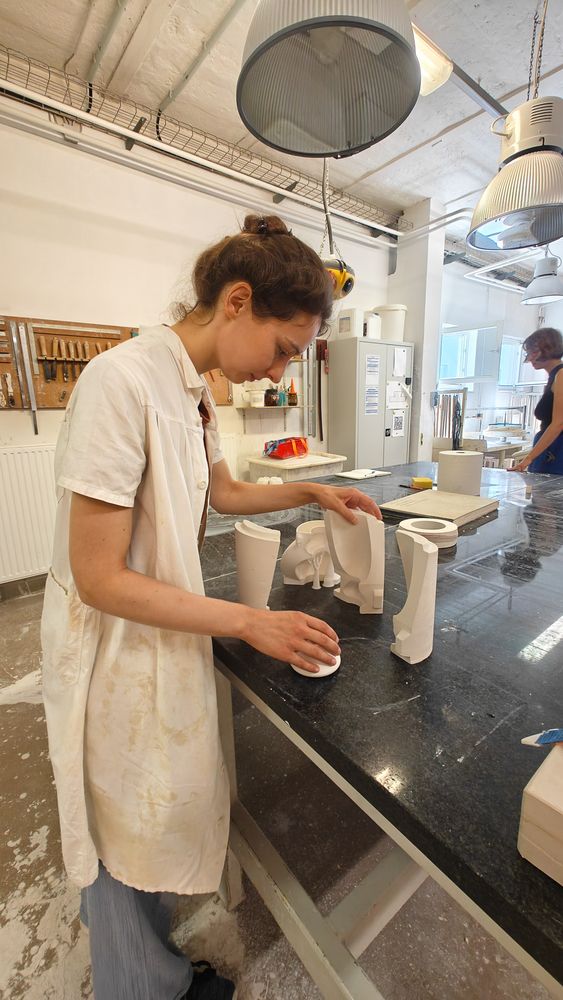
Also druckte Charlotte zunächst ein Anschauungsmodell aus PLA, einem biobasierten Kunststoff aus nachwachsenden Rohstoffen. Mit diesem »Dummy« entwickelte sie mit Werkstattmitarbeiter Robert Elias Wachholz eine fünfteilige Gipsform, die das Herauslösen der Kanne ermöglicht. Im nächsten Schritt druckte sie eine Negativform für die spätere Gipsform, mit der sich deren einzelne Teile gießen ließen. Da sich PLA mit Hitze verformen lässt, konnte die Gipsform später aus der gedruckten Form gelöst werden. 

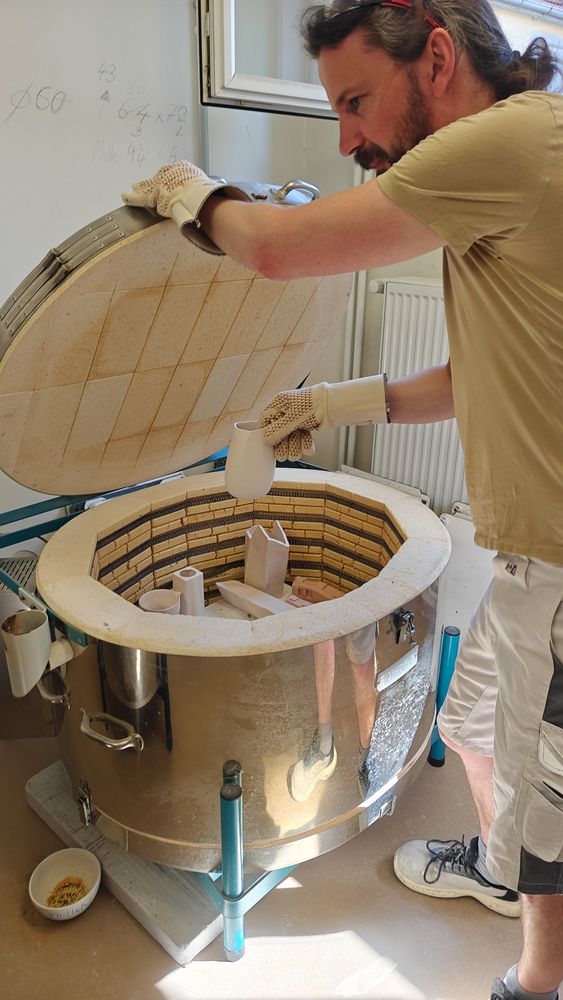
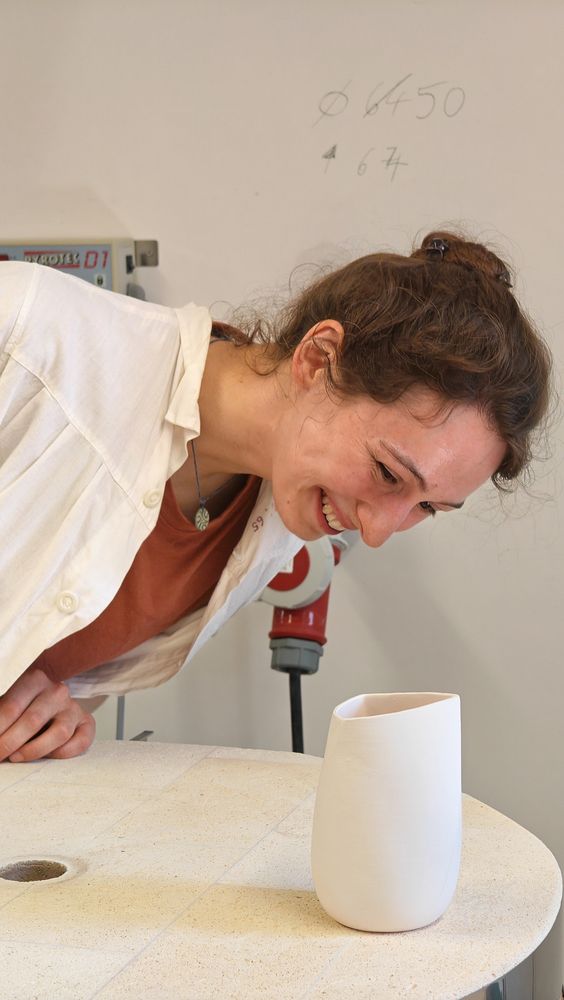
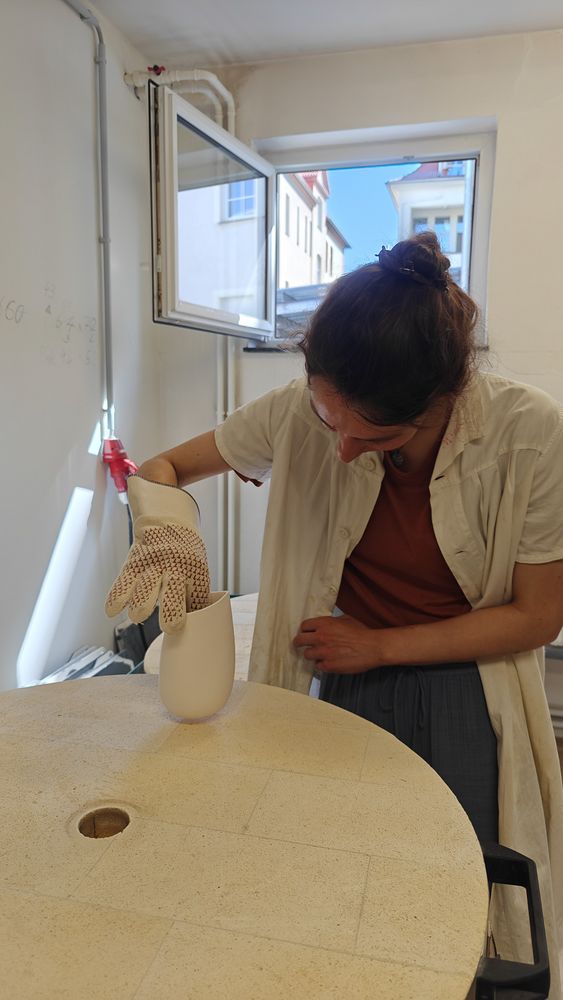
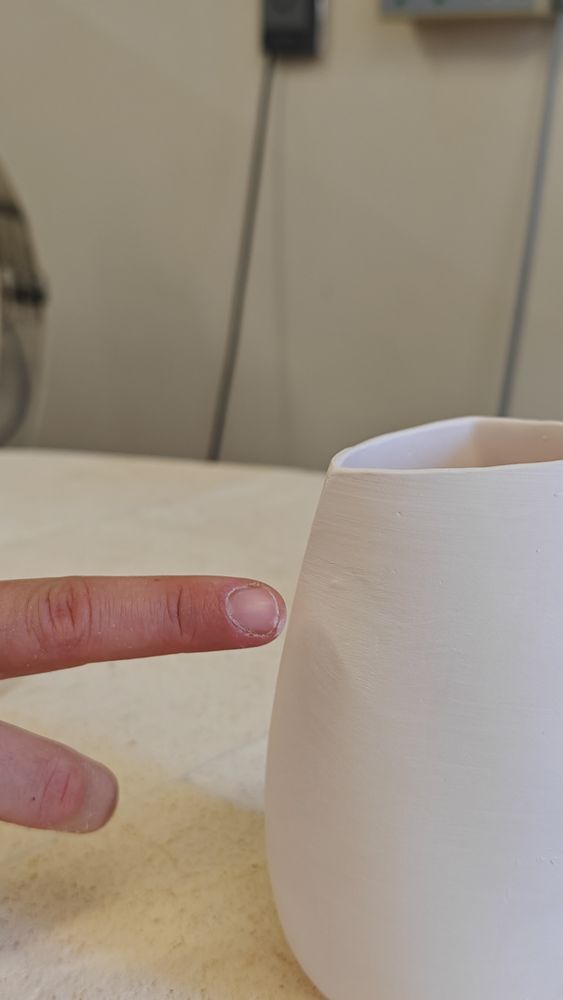
Als Robert Elias Wachholz das allererste Modell der Kanne, noch über 200 Grad Celsius heiß, aus dem Brennofen holt, ist die Erleichterung bei Charlotte groß. Die Kanne ist nahezu perfekt. Nur eine kleine Delle zeichnet sich ab: ein Abdruck von Charlottes Finger. Ihr eigener, zufälliger »Prompt«, der sich in die Oberfläche eingeschrieben hat. 

prevplayboxnext
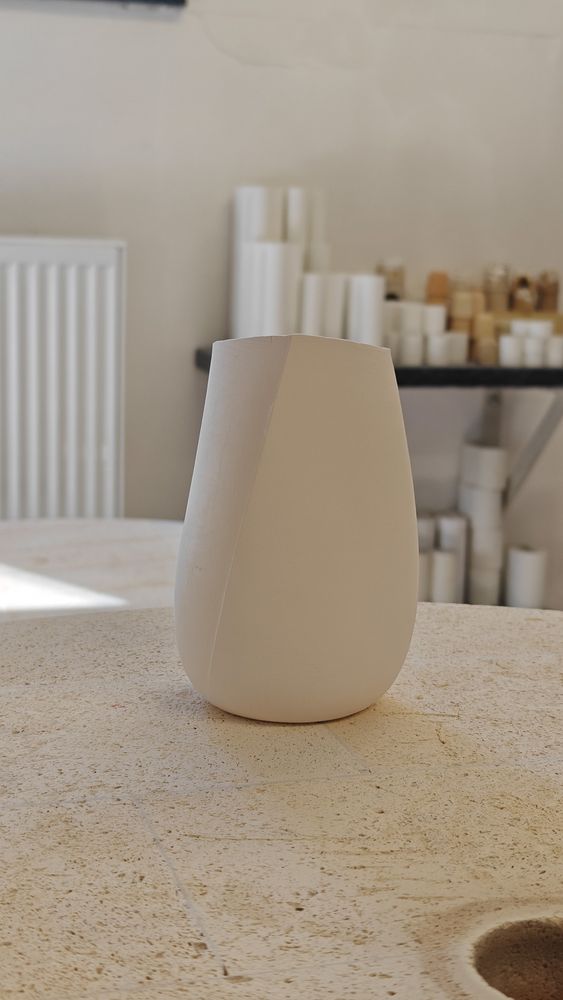
A white 3D-printed vessel stands on a workbench. The upper image shows the side view, the lower image the triangular opening seen from above.
A tricky shape: Charlotte started by printing a prototype from PLA...
A white 3D-printed vessel stands on a workbench. The upper image shows the side view, the lower image the triangular opening seen from above.
A tricky shape: Charlotte started by printing a prototype from PLA...
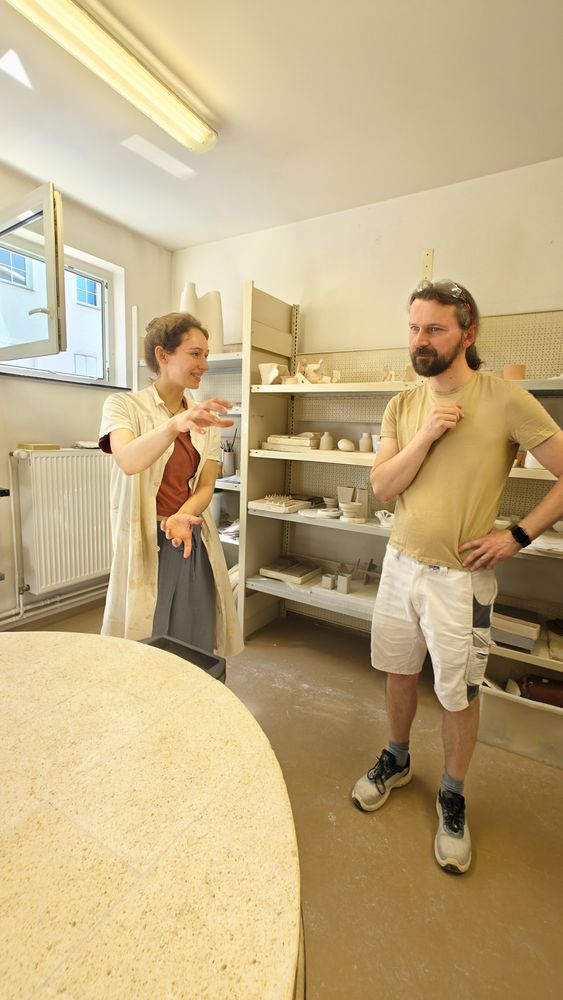
Charlotte and workshop manager Robert Elias Wachholz discuss a project among shelves filled with models and moulds in the plaster and mould-making workshop.
... which she then discussed with workshop staff member Robert Elias Wachholz.
Charlotte and workshop manager Robert Elias Wachholz discuss a project among shelves filled with models and moulds in the plaster and mould-making workshop.
... which she then discussed with workshop staff member Robert Elias Wachholz.
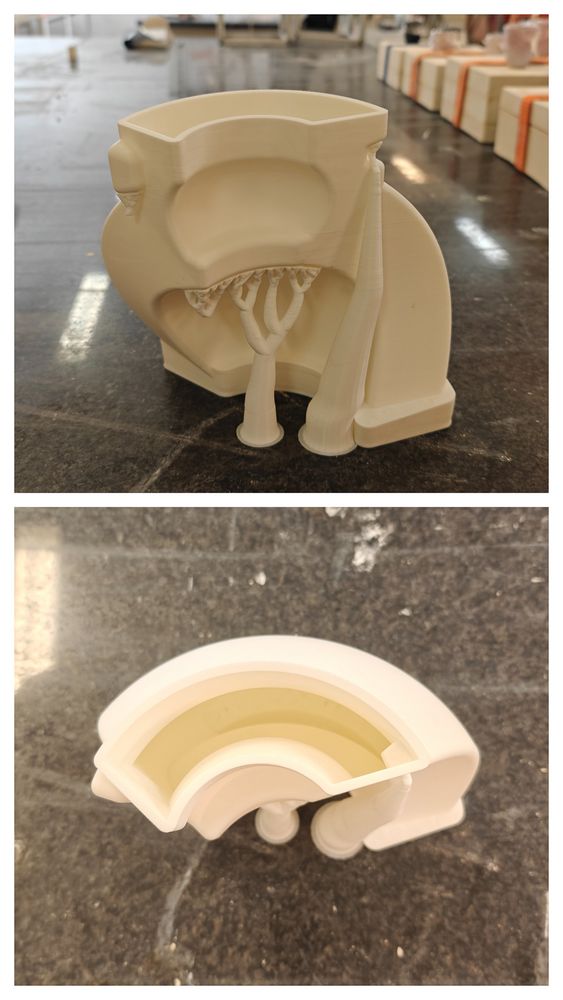
A 3D-printed model of a two-part casting mould stands on a workbench. The upper image shows the exterior, the lower image a cross-section.
This is how the negative mould was created for the subsequent plaster mould, which was used to cast the individual parts.
A 3D-printed model of a two-part casting mould stands on a workbench. The upper image shows the exterior, the lower image a cross-section.
This is how the negative mould was created for the subsequent plaster mould, which was used to cast the individual parts.
A hand lifts the upper part of a white casting mould, revealing the black PLA mould inside.
Charlotte was then able to heat the 3D-printed mould to reshape it and thus remove the plaster cast.
A hand lifts the upper part of a white casting mould, revealing the black PLA mould inside.
Charlotte was then able to heat the 3D-printed mould to reshape it and thus remove the plaster cast.
Charlotte assembles the individual parts of a white casting mould on a workbench. The plaster and mould-making workshop is visible in the background.
The result was a five-part plaster mould, which could be used to cast the jug.
Charlotte assembles the individual parts of a white casting mould on a workbench. The plaster and mould-making workshop is visible in the background.
The result was a five-part plaster mould, which could be used to cast the jug.
Robert Elias Wachholz removes a ceramic vessel from an open kiln whilst wearing protective gloves.
As Robert Elias Wachholz takes the very first model – still over 200 degrees Celsius – out of the kiln...
Robert Elias Wachholz removes a ceramic vessel from an open kiln whilst wearing protective gloves.
As Robert Elias Wachholz takes the very first model – still over 200 degrees Celsius – out of the kiln...
Charlotte smiles while examining a white ceramic vessel resting on the edge of a kiln.
... Charlotte is absolutely thrilled.
Charlotte smiles while examining a white ceramic vessel resting on the edge of a kiln.
... Charlotte is absolutely thrilled.
A white ceramic vessel with an asymmetrical opening stands on the edge of a kiln. Additional ceramic objects are visible in the background.
The result is almost perfect, and the plan involving the complicated mould has worked out.
A white ceramic vessel with an asymmetrical opening stands on the edge of a kiln. Additional ceramic objects are visible in the background.
The result is almost perfect, and the plan involving the complicated mould has worked out.
Wearing a heat-resistant glove, Charlotte carefully places a ceramic vessel into a kiln.
On closer inspection...
Wearing a heat-resistant glove, Charlotte carefully places a ceramic vessel into a kiln.
On closer inspection...
A finger points to a fingerprint visible on the surface of a white ceramic vessel.
...Charlotte spots a small dent – her fingerprint – which she had inadvertently left on the fabric.
A finger points to a fingerprint visible on the surface of a white ceramic vessel.
...Charlotte spots a small dent – her fingerprint – which she had inadvertently left on the fabric.

Vom Ping-Pong mit Porzellan zum Dialog mit digitalen Daten

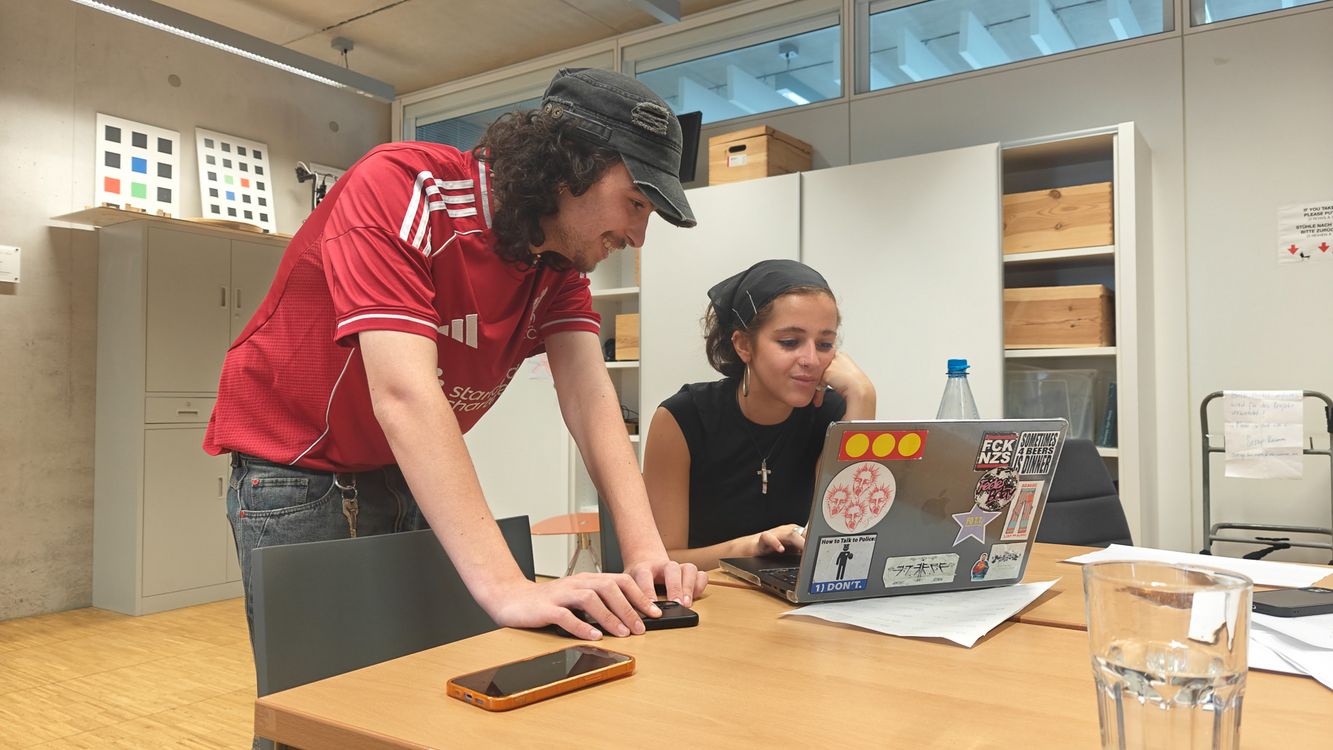
Two students are working together on a laptop. One is leaning over the table, whilst the other is sitting in front of the computer.
Students on the »Immersive Spaces« course are working on interactive audiovisual installations using TouchDesigner at the Digital Bauhaus Lab’s Performance Platform.
Two students are working together on a laptop. One is leaning over the table, whilst the other is sitting in front of the computer.
Students on the »Immersive Spaces« course are working on interactive audiovisual installations using TouchDesigner at the Digital Bauhaus Lab’s Performance Platform.

Im Kurs »Immersive Spaces« bei der Künstlerischen Mitarbeiterin Isabella Lee Arturo geht es um digitale immersive Räume. Besuch in der Performance Platform im Digital Bauhaus Lab: Vier Studierende sitzen hinter ihren Rechnern. Ihr Werkzeug heißt TouchDesigner, eine Software für interaktive audiovisuelle Projekte. Wer glaubt, sich diese Software mit einem Prompt in einer KI-Plattform einfach »vibe-coden« zu können, irrt. »ChatGPT hilft mir überhaupt nicht beim visuellen Programmieren«, sagt Austauschstudent Afonso aus Portugal. 

TouchDesigner arbeitet mit einer node-basierten Programmiersprache. Die Logik entsteht nicht als Text, sondern als Netz im Raum: Operatoren – Funktionsbausteine –, dazu Parameter und Verbindungen. Large Language Models wie ChatGPT helfen dagegen eher bei textbasiertem Code. Sie können die Verzweigungen, Einstellungen und sich verändernde Werte eines solchen Operatoren-Netzwerks nicht einfach lesen. Läuft etwas aus dem Ruder, verfolgen die Studierenden die Pfade der Operatoren – bis zur Stelle, an der es hakt. 

»In meinem Kurs lernen die Studierenden, indem sie es tun«, sagt Isabella Lee Arturo. »Wir fangen einfach an, mit der Software zu arbeiten, probieren aus, iterieren und scheitern auch mal.« Den kreativen Teil »prompten« die angehenden Media-Designer*innen an der Schnittstelle zwischen Input und Output: dem Processing. Eintreffende Daten werden in eigens gestalteten Interaktionen verarbeitet, normalisiert, manipuliert und kombiniert. Lee Arturo vergleicht Daten mit Ton: Sie lassen sich formen, drücken, ziehen. Am Ende steht eine Installation – interaktiv und immersiv. 

Ines hat eine Installation gebaut, die die Hände der Besucher*innen trackt. Auseinanderziehen, Drehen – und auf der großen Videowand erscheinen drei Filter, die sich mit den Händen steuern lassen. Luisas Arbeit verwandelt ganze Körper in wabernde, leuchtend türkise Schatten. Julian lässt aus den Fingern seiner Betrachter*innen pinkfarbene Bubbles strömen: Eine Hand wirkt wie ein Magnetfeld, zieht alle Partikel an und lässt sie im Wirbel kreisen. 

Wer erleben will, wie es ist, nicht mit Worten, sondern mit Händen, Gesten und Bewegung zu prompten, sollte zur »summaery2026« kommen – und die Installationen selbst ausprobieren.

prevplayboxnext
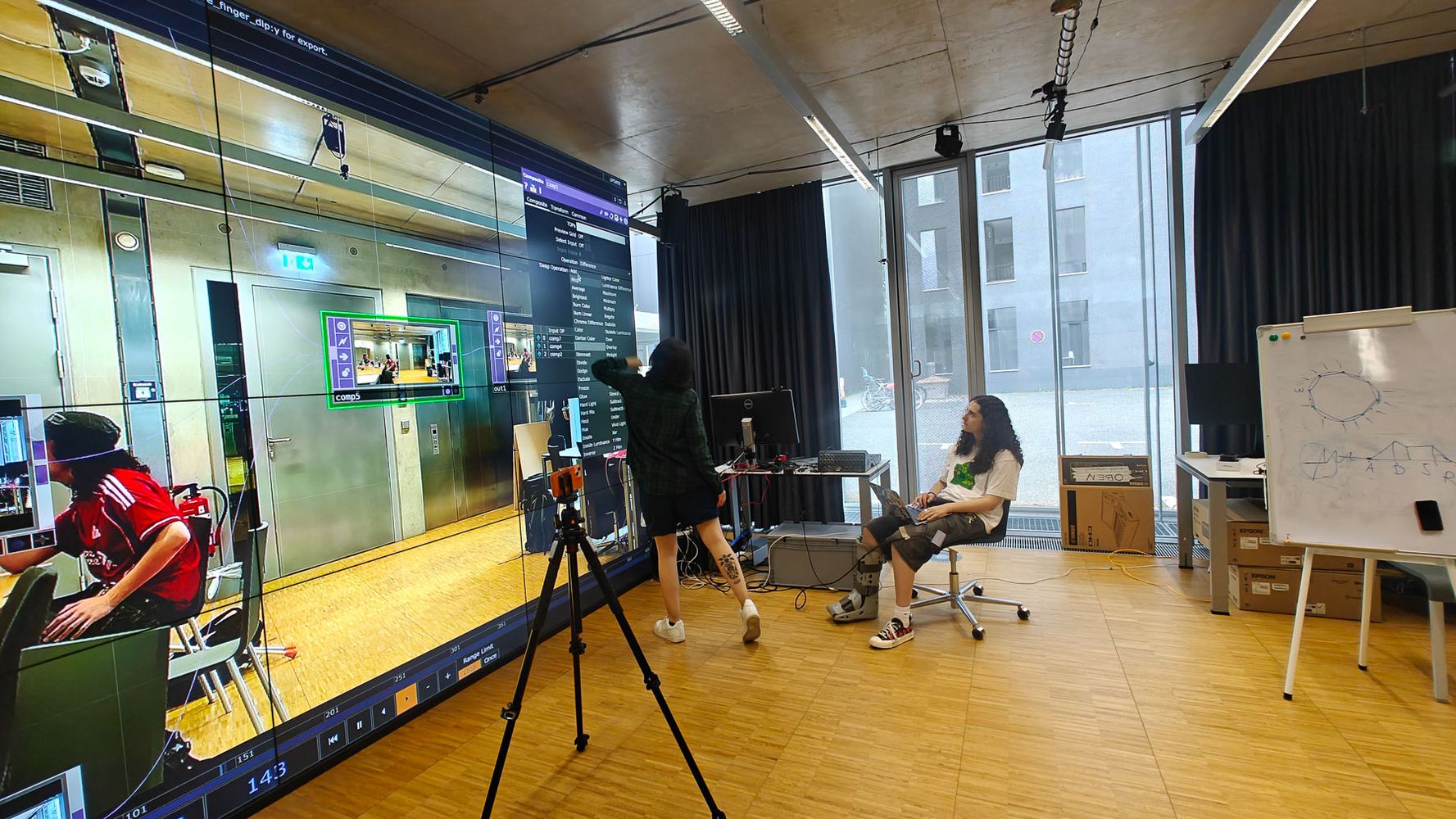
One person is pointing at the LED wall, whilst another is sitting at the control console. A camera on a tripod is filming the room.
On the Performance Platform, students explore how movements in space can be translated into audiovisual responses using a camera, software and a video wall.
One person is pointing at the LED wall, whilst another is sitting at the control console. A camera on a tripod is filming the room.
On the Performance Platform, students explore how movements in space can be translated into audiovisual responses using a camera, software and a video wall.
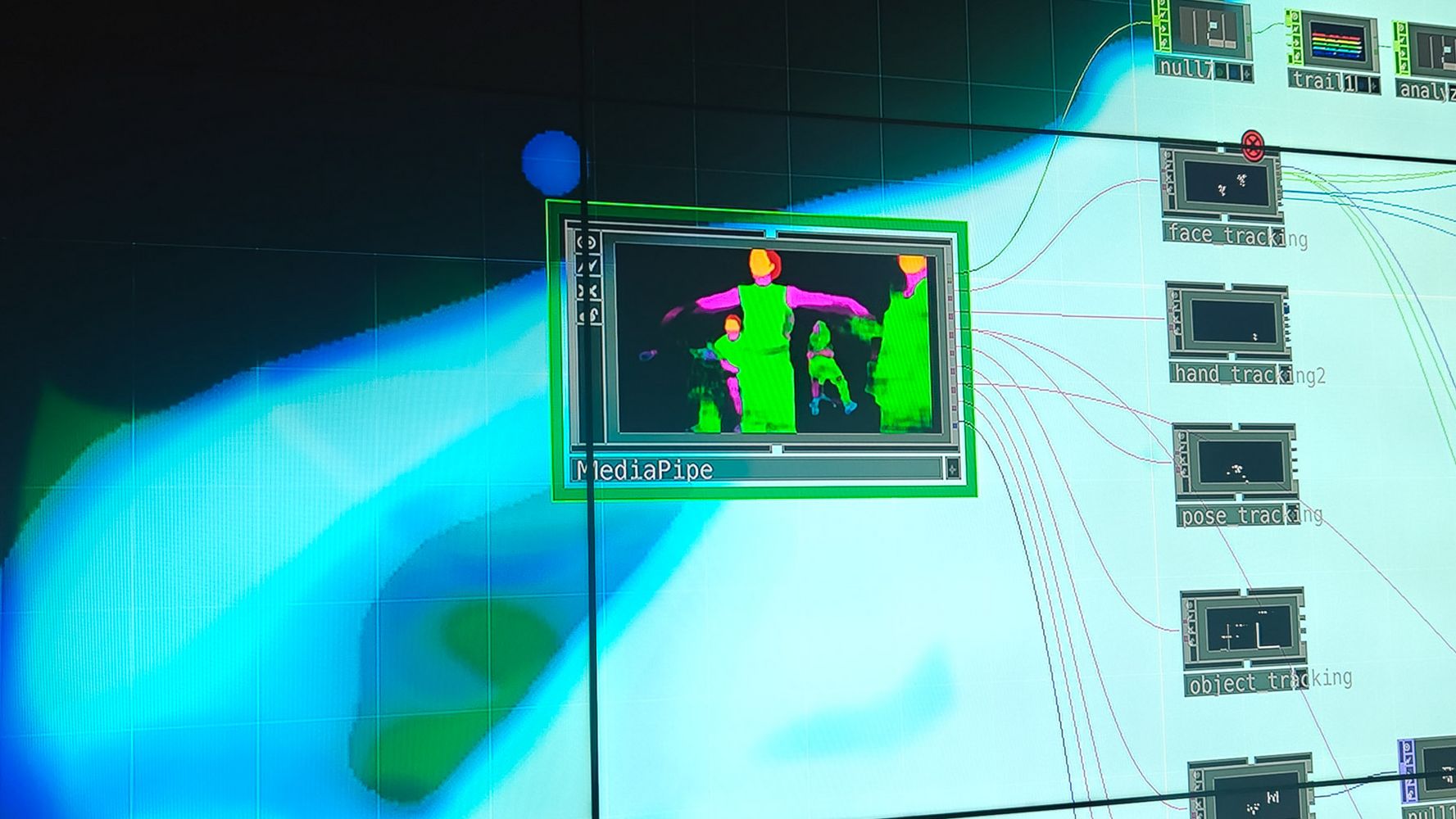
A section of the TouchDesigner interface showing a body detection window. Coloured silhouettes indicate the real-time tracking of people.
The software processes camera data in real time: input operators receive signals, whilst output operators display the visual effects on the video wall.
A section of the TouchDesigner interface showing a body detection window. Coloured silhouettes indicate the real-time tracking of people.
The software processes camera data in real time: input operators receive signals, whilst output operators display the visual effects on the video wall.
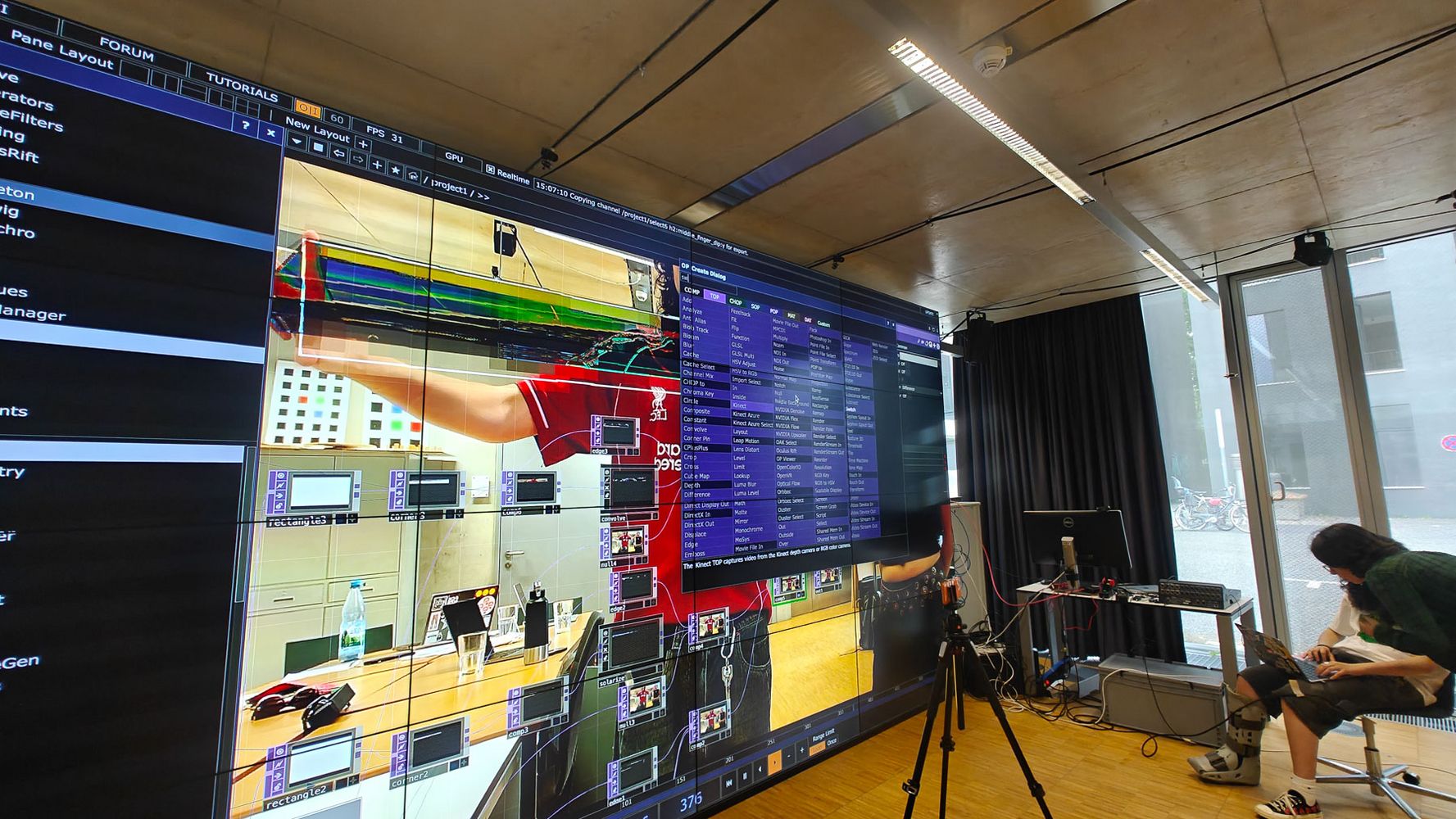
The TouchDesigner software interface is displayed on a large-format LED screen. A camera feed with digital effects can be seen in the background
Debugging in TouchDesigner: If something isn’t working as planned, students trace the paths of the operators, parameters and connections – right up to the point where the problem lies.
The TouchDesigner software interface is displayed on a large-format LED screen. A camera feed with digital effects can be seen in the background
Debugging in TouchDesigner: If something isn’t working as planned, students trace the paths of the operators, parameters and connections – right up to the point where the problem lies.
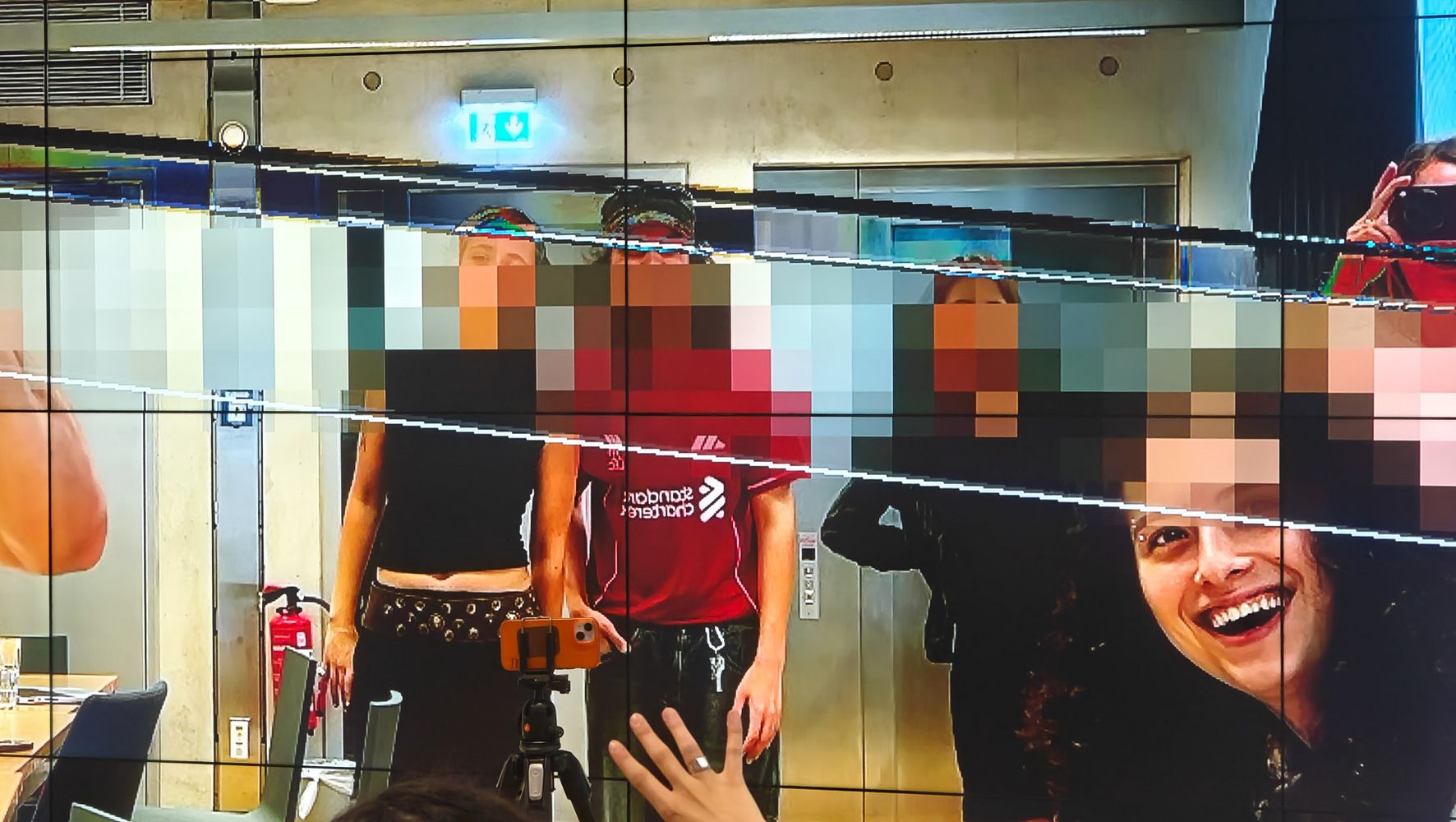
Students stand in front of a large-format LED screen. The camera image is altered in real time with digital distortions and mosaic effects.
Ines’ installation tracks visitors’ hands: by dragging and rotating, they can control different filters on the large video wall.
Students stand in front of a large-format LED screen. The camera image is altered in real time with digital distortions and mosaic effects.
Ines’ installation tracks visitors’ hands: by dragging and rotating, they can control different filters on the large video wall.
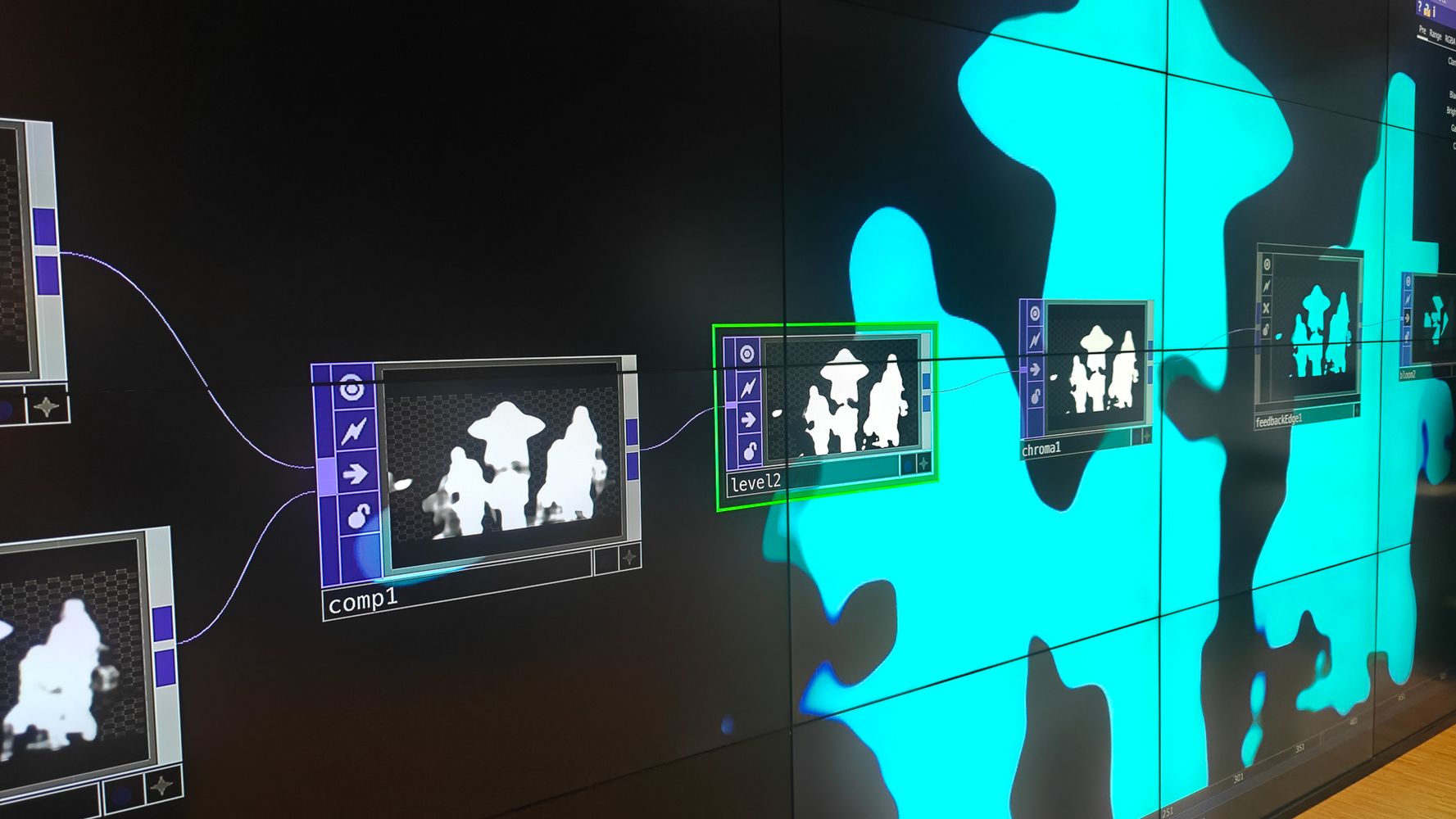
Several interconnected modules of the TouchDesigner software are displayed on an LED wall. Alongside them are abstract silhouettes of people.
In Luisa’s work, bodies and movements are tracked and projected onto the video wall as abstract, glowing turquoise shadows.
Several interconnected modules of the TouchDesigner software are displayed on an LED wall. Alongside them are abstract silhouettes of people.
In Luisa’s work, bodies and movements are tracked and projected onto the video wall as abstract, glowing turquoise shadows.
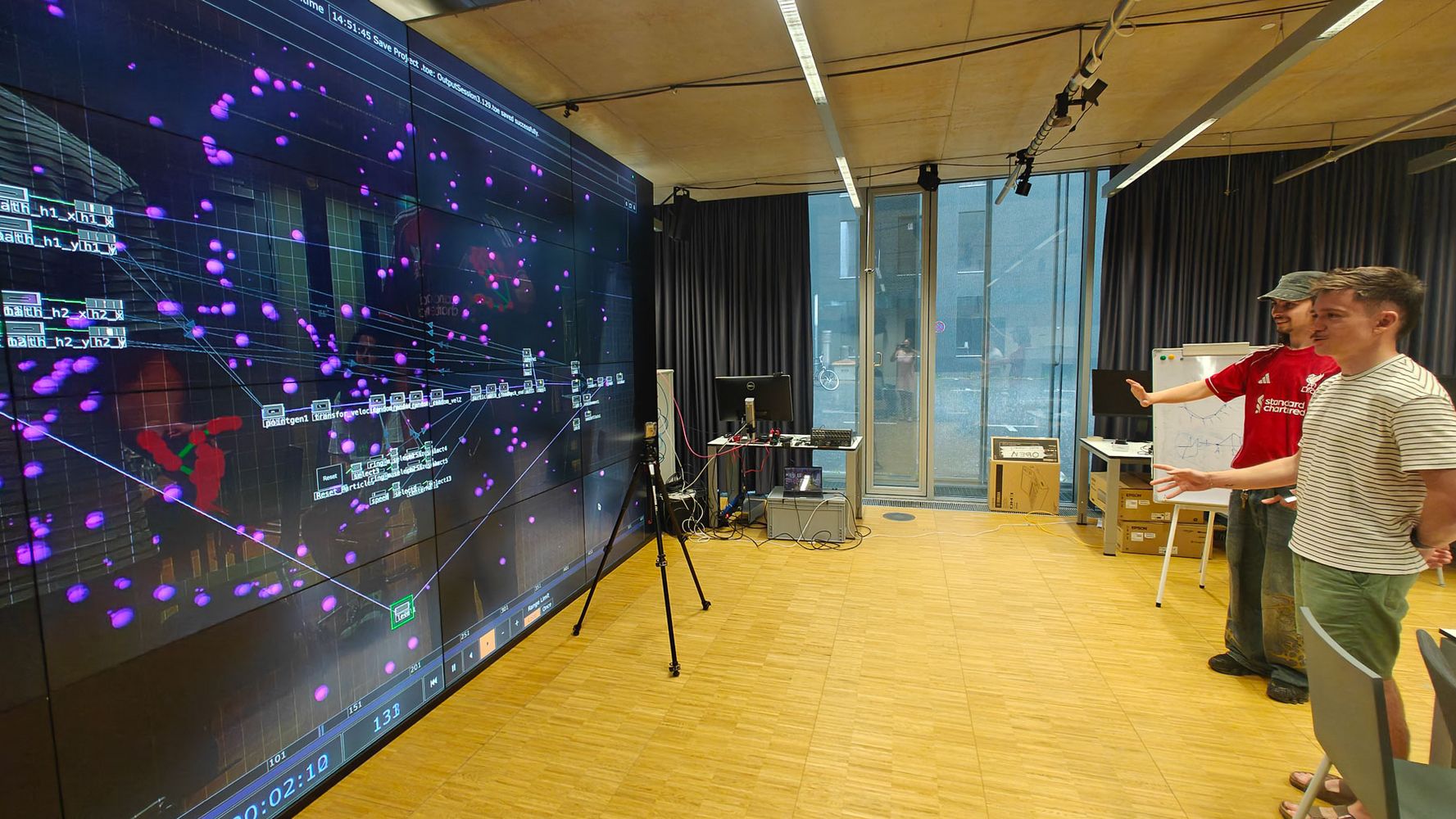
Two students are testing an interactive application in front of the Performance Platform’s LED wall. Their movements are translated into digital particles and graphic effects in real time.
Julian makes pink bubbles stream from the visitors’ fingers: one hand acts like a magnetic field, drawing the particles into a vortex.
Two students are testing an interactive application in front of the Performance Platform’s LED wall. Their movements are translated into digital particles and graphic effects in real time.
Julian makes pink bubbles stream from the visitors’ fingers: one hand acts like a magnetic field, drawing the particles into a vortex.

summaery2026 | Fakultät Kunst & Gestaltung

from Bauhaus-Universität Weimar

Click the Play button to load and view external content from Vimeo.com.

Automatically load and view external content from Vimeo.com (You can change this setting at any time via our »Data protection policy«.)

Video: Angye Diener

Ausstellungen der beiden Projekte während der summaery2026

Grundlagen keramischer Gestaltung
Fachkurs von Isa Schreiber
Geschwister-Scholl-Straße 13, Raum 012
99423 Weimar

Immersive Spaces: Art Installations with TouchDesigner
Fachkurs von Isabella Lee Artuto
Sendehalle Weimar
Humboldtstraße 36A
99425 Weimar

» Alle Projekte zur summaery 2026

Related News

  • 06/30/2026summaery2026 an der Fakultät Bau und Umwelt: prompt‽ – Wenn aus Fragen Lösungen werden
  • 06/30/2026summaery2026 an der Fakultät Bau und Umwelt: prompt‽ – Wenn aus Fragen Lösungen werden
  • 06/26/2026summaery2026 an der Fakultät Architektur und Urbanistik: prompt‽ – Zwei Orte, viele Zukünfte
  • 06/23/2026summaery2026 an der Fakultät Medien: Was folgt auf den Prompt‽ Neue Perspektiven aus den Laboren der Fakultät Medien
  • 06/18/2026Zwischen Eingabe und Erkenntnis: Das Design der summaery2026
  • 06/18/2026Save the date: Bauhaus-Universität Weimar lädt zur Jahresschau summaery2026
Back All News
  • Official Instagram account of the Bauhaus-Universität Weimar
  • Official LinkedIn account of the Bauhaus-Universität Weimar
  • Official Vimeo channel of the Bauhaus-Universität Weimar
  • The Bauhaus-Universität Weimar uses Matomo for web analytics.
  • Print
  • Send by e-mail
  • Feedback this Page
  • Studies

    • Academic Programmes
    • Advising
    • Discover the university
    • Application
    • New Students
    • Course Catalogue
    • Moodle
  • Information

    • Alumni
    • Employees
    • Researchers
    • Visitors and Guests
    • Academic Staff
    • Emergency Information
    • Press and Media
    • Doctoral candidates
    • Students
    • Businesses
  • Services

    • Message Boards
    • Campus Maps
    • Sitemap
    • Media Service
    • Data Protection Policy
    • Accessibility Statement
    • Legal Notice
  • Contact

    • Contact form
  • Contact
  • Data protection policy
  • Accessibility Statement
  • Legal Notice
  • Sitemap
  • Internal
  • TYPO3
  • The Bauhaus-Universität Weimar uses Matomo for web analytics.
© 1994-2026 Bauhaus-Universität Weimar
  • Contact
  • Data protection policy
  • Accessibility Statement
  • Legal Notice
  • Sitemap
  • Internal
  • TYPO3

Accessibility panel

Simple language

Information about the Bauhaus-Universität Weimar in German.

Set contrast Read more about this setting

Changes from color to monochrome mode

contrast active

contrast not active

Darkmode for the lightsensitive Read more about this setting

Changes the background color from white to black

Darkmode active

Darkmode not active

Click- and Focus-feedback Read more about this setting

Elements in focus are visually enhanced by an black underlay, while the font is whitened

Feedback active

Feedback not active

Animations on this Website Read more about this setting

Halts animations on the page

Animations active

Animations not active