
GMU:Tutorials/Performance Platform/Sound System Stereo: Difference between revisions
| (4 intermediate revisions by the same user not shown) | |||
| Line 28: | Line 28: | ||
</gallery> | </gallery> | ||
== Using | == Using Stereo Sound System == | ||
===Hardware=== | ===Hardware=== | ||
Turn on equipment: | Turn on equipment: | ||
| Line 45: | Line 45: | ||
</gallery> | </gallery> | ||
<br style="clear:both"> | <br style="clear:both"> | ||
===Software=== | |||
== | ====TotalMix==== | ||
For signal manage and post-mix. Stereo playing is Channel 1/2 | |||
<gallery> | <gallery> | ||
| Line 60: | Line 57: | ||
</gallery> | </gallery> | ||
== Trouble shooting == | == Using Stereo Sound System from laptop== | ||
For those who only want to play stereo sound, they don’t need to download the drivers and control panel. In case if giving a try: | |||
* Download [https://www.rme-audio.de/downloads/driver/fireface.php Drivers for the Fireface 800] | |||
==Trouble shooting == | |||
Situation 1: You've already plug in sound cable but nothing happened? | Situation 1: You've already plug in sound cable but nothing happened? | ||
Latest revision as of 18:06, 19 February 2017
There are two independent sound systems. The stereo sound system and the surround sound systems. Both are controlled by the same audio work station.
Connection Diagram
Here is an overview of how the components are connected:

For more images see Gallery bellow
Components
- Audio-Workstation (Enigma; Mac-Pro on the left side of the right table)
- Audio-Interface RME Fireface UFX
- Audio-Interface RME Fireface 800
- 2 Meyer Sound Speakers
- 2 Meyer Sound Bass-Speakers MM-10XP (product page)
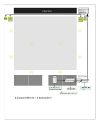
sound system connection sketch
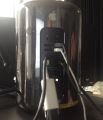
Enigma sound station cables
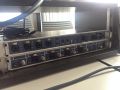
RME Fireface UFX and 800 front
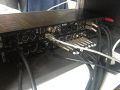
RME Fireface UFX and 800 back
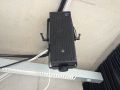
right stereo speaker
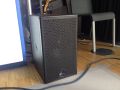
Subwoofer


Using Stereo Sound System
Hardware
Turn on equipment:
- Audio work station (Enigma)
- Audiointerfaces (RME Fireface UFX and 800)
- Power supply (488 back room, next to the video wall)
- Check if the USB cable connected (Work station to Fireface UFX)
p.s.Make sure following the ordering of first turn on power supplier then audio interface, but turn off audio interface at first then power supplier. If you break this rule, the electrical peak will harm the audio system. We believe that this definitely is a bad news for all users.
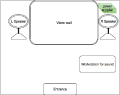
Power supply
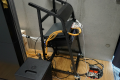
Power supply

Power supply
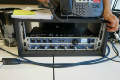
Fireface UFX & Fireface 800
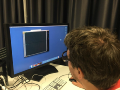
Mac Pro workstation


Software
TotalMix
For signal manage and post-mix. Stereo playing is Channel 1/2
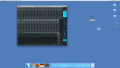
TotalMix
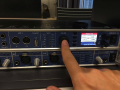
Phones output 11/12(extra monitor using)
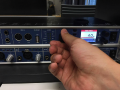
Master output (What we use!)
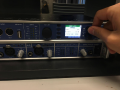
ADAT output 13/14(Only for digital Optical system)
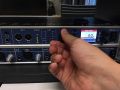
press the Volume knob to switch between the different modes, and spin it to adjust the volume


Using Stereo Sound System from laptop
For those who only want to play stereo sound, they don’t need to download the drivers and control panel. In case if giving a try:
- Download Drivers for the Fireface 800
Trouble shooting
Situation 1: You've already plug in sound cable but nothing happened?
Answer:
- Check if you have turned both power supplier for speaker system and sound workstation(Mac pro)on.
- Check if you have already turned on the Fireface UFX and Fireface 800.
Situation 2: All are truned on but still no sound?
Answer:
- Check the Mac Pro and go to RME setting application(within the deck of desktop)to see if the sound card is selected to "Fireface 800" correctly.
- Open up the totalmix control panel, sending sound signal from your playing device, then check it there has signal in the stereo channal(Default is 1/2).
- Check if you have already chose the "Main out" as output mode correctly, and of course, volume up until you could listen somthing.
Gallery
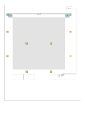
Sound system scheme
sound system connection sketch
Enigma sound station cables
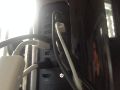
Enigma sound station cables
RME Fireface UFX and 800 back
RME Fireface UFX and 800 front
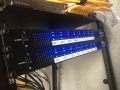
RME Fireface UFX und 800 power supply front
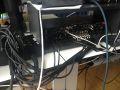
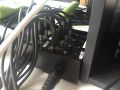
RME Fireface UFX und 800 to dreitec stagebox
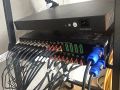
sound system power supply back
dreitec stagebox
stereo speaker
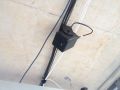
multichanel speaker
Subwoofer


